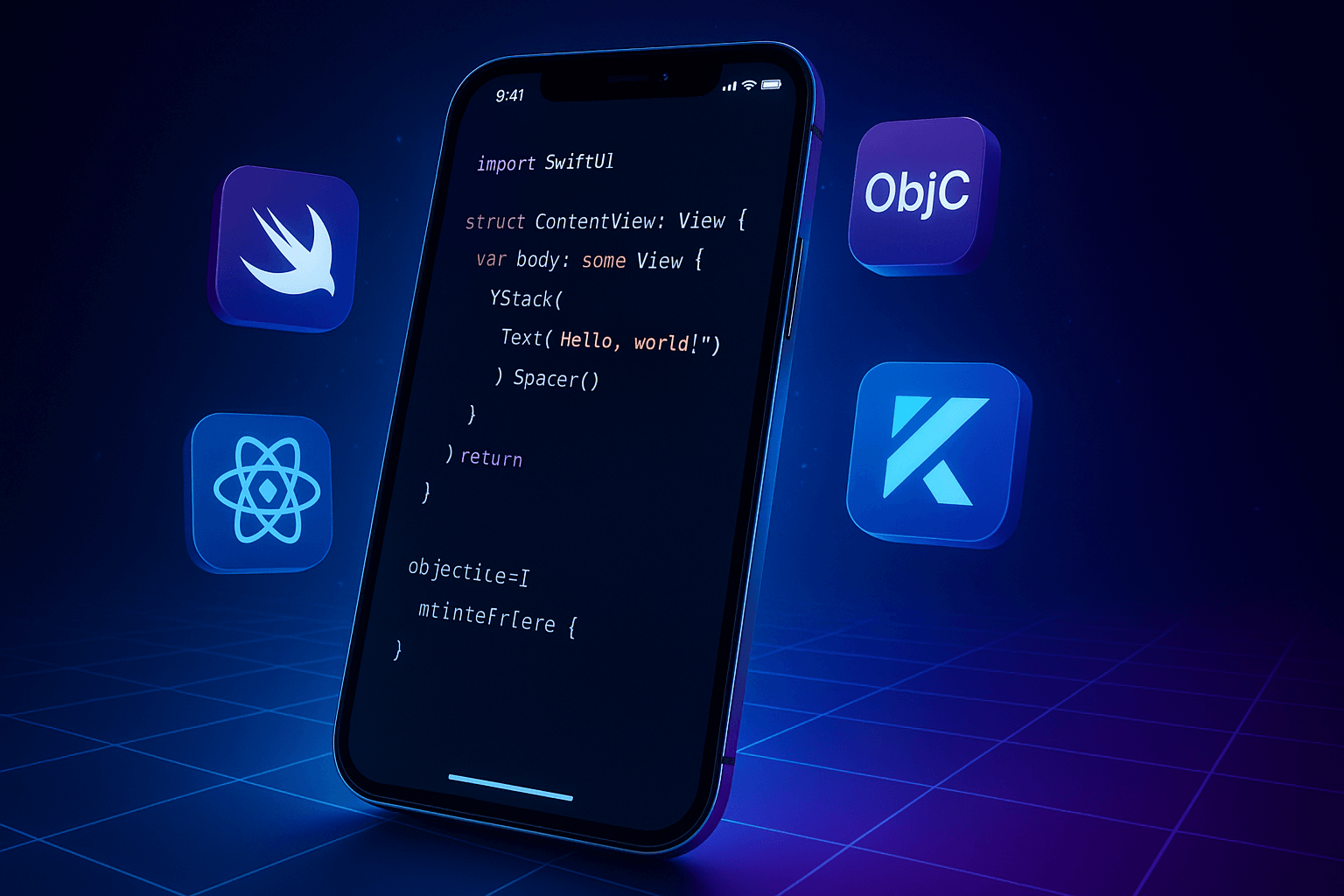
By 2026, the global mobile app market is expected to surpass $750 billion, with iOS continuing to lead in revenue and user spending. As Apple rolls out faster chips, advanced APIs, and stronger privacy controls, the demand for high-performance, scalable, and interactive iOS apps is growing rapidly. This shift is pushing developers and businesses to carefully evaluate which iOS apps development language will deliver the best results for future-ready products.
Choosing the right programming language isn’t just a technical choice anymore—it directly impacts app speed, security, maintainability, and long-term costs. With new frameworks like SwiftUI, rising cross-platform solutions, and evolving user expectations, understanding which iOS developer programming language fits your goals is more important than ever.
In this guide, you’ll get a clear comparison of the top languages used for iOS development in 2026. You’ll learn how each option performs, where it works best, the pros and cons, and how to decide on the ideal iOS app code language for your next project. This will help you make an informed, forward-thinking choice that supports both current requirements and future growth.
In 2026, users expect apps to load instantly, respond smoothly, and run efficiently on newer Apple chips. The programming language you choose plays a direct role in how fast your app performs. A modern iOS apps development language like Swift, for example, compiles quickly, reduces crashes, and keeps animations fluid. This leads to a better overall user experience and higher retention rates.
Apple continues to release major updates every year—new APIs, expanded SwiftUI features, improved AR capabilities, VisionOS tools, and enhanced privacy rules. Choosing a compatible iOS developer programming language ensures you can integrate these features without workarounds or technical debt. The right language keeps your app aligned with Apple’s ecosystem so it stays functional and future-ready.
As your user base grows, your app must handle more traffic, more data, and more interactions. Using a strong iOS app code language helps you scale without rebuilding core components later. A scalable language improves code stability, makes updates easier, and supports long-term product planning—saving time and development effort as your app evolves.
The right language reduces development hours and simplifies maintenance. Clean syntax, strong libraries, and reliable community support cut down on debugging and rewriting. This directly impacts your bottom line—shorter development cycles, reduced labor costs, and quicker launches. Choosing the right iOS program language ensures your team can deliver updates and new features faster, giving you a competitive edge.
Performance is one of the most important factors in choosing an iOS app code language. A fast, efficient language helps your app load quicker, run smoother, and use fewer device resources. This is especially important as iOS devices adopt more advanced processors and handle heavier workloads. A strong focus on performance ensures your app delivers a responsive experience, even as features grow more complex.
The size and activity level of a language’s community affects how fast your team can solve problems and adopt best practices. A language with active forums, documentation, and up-to-date learning resources makes development easier and reduces delays. The learning curve also matters—your developers need to pick up the language quickly to avoid slow onboarding or long development timelines.
iOS users expect secure and stable apps, and the language you choose influences both. A reliable iOS apps development language with built-in safety features can reduce common vulnerabilities, prevent crashes, and support consistent performance. Strong typing, memory safety, and mature tooling all contribute to a stable codebase that handles updates and new features without breaking.
If you’re building apps for both iOS and Android, cross-platform support becomes a major deciding factor. Some languages allow you to share a portion of the codebase across platforms, reducing development time and long-term costs. A cross-platform friendly iOS program language also makes maintenance easier, since updates can be applied across multiple platforms with less effort.
Apple continues to expand its ecosystem with tools like SwiftUI, ARKit, HealthKit, CoreML, and Vision Pro development frameworks. The language you choose should work smoothly with these technologies. Strong ecosystem integration allows you to use native features, add advanced capabilities, and keep your app aligned with Apple’s latest standards. This ensures longevity and a better overall user experience.
Overview and evolution of Swift
Swift was introduced by Apple in 2014 as a modern replacement for Objective-C. Over the past decade, it has gone through major updates that improved performance, safety, and developer productivity. By 2026, Swift has become the default iOS program language for most new apps, thanks to its clean syntax and tight integration with Apple’s frameworks.
Why Swift is the most popular iOS app dev language
Swift is widely adopted because it’s built specifically for the Apple ecosystem. It works seamlessly with SwiftUI, integrates well with ARKit and CoreML, and takes advantage of Apple’s latest hardware optimizations. Its speed and simplicity make it the most reliable choice for teams aiming to deliver high-quality apps quickly.
Key advantages: speed, safety, modern syntax
Swift is known for its fast performance. Its compiler is optimized to produce efficient machine code, which helps apps run smoothly on iPhones, iPads, and Vision Pro. The language also includes strong safety features—such as type safety and memory management—to reduce crashes and common coding errors. Its modern syntax keeps code readable, which speeds up development and maintenance.
Best use cases: enterprise apps, AI-powered apps, Vision Pro experiences
Swift is ideal for enterprise-grade applications that require long-term scalability. It’s also a top choice for AI-driven apps that use CoreML and for immersive Vision Pro experiences built with RealityKit and SwiftUI. Any project that relies on Apple’s newest technologies benefits from Swift.
Limitations to consider
Swift continues to evolve, which means older versions may need updates to stay compatible with new releases. Developers working with large legacy codebases may face challenges when migrating from Objective-C. Also, Swift is not ideal for cross-platform development unless paired with additional tools.

A brief history and why it remains important
Objective-C has been part of Apple’s development ecosystem since the 1980s. It powered the first generations of iOS and macOS applications, and many long-standing apps still rely on it. Even in 2026, Objective-C remains important because of its mature libraries and deep integration with older frameworks.
Strengths: mature libraries, proven stability
Objective-C offers unmatched stability for legacy systems. Its runtime is well-tested, and many enterprise apps still depend on its extensive libraries. For teams maintaining older codebases, Objective-C continues to provide predictable performance and long-term reliability.
When to choose Objective-C in 2026
Objective-C is a practical option when working on apps with large existing codebases, especially if rewriting everything in Swift isn’t feasible. It’s also suitable for organizations that rely heavily on older APIs or need a language that supports dynamic runtime behaviors Swift doesn’t provide.
Limitations and migration considerations
The main drawback is that Objective-C is no longer evolving at the same pace as Swift. Its syntax is more complex, and learning it takes longer for new developers. Teams may eventually need to transition parts of their code to Swift, which requires planning and careful testing. For new projects, Swift is generally the better choice unless legacy support is a priority.
Overview of Kotlin Multiplatform
Kotlin Multiplatform allows developers to share core business logic across Android and iOS while still building native interfaces for each platform. Instead of relying on full hybrid frameworks, it gives teams the flexibility to reuse code where it makes sense and write platform-specific components when needed. By 2026, it has become a practical option for companies that want faster development without giving up native performance.
Benefits for building shared logic across Android & iOS
Kotlin Multiplatform lets teams write shared code for networking, data management, analytics, and other backend logic. This reduces duplicate work and shortens development cycles. Since the UI remains native, apps still feel responsive and consistent with Apple’s design standards. This balance helps teams maintain product quality while improving efficiency.
Why it’s becoming a trending iOS apps development language
More businesses are adopting Kotlin Multiplatform because it lowers long-term development costs and keeps codebases cleaner. It also has strong community support, and JetBrains continues to improve tooling. For teams already working with Kotlin on Android, adding iOS support becomes simpler. This makes Kotlin a rising option in the iOS apps development language landscape for companies wanting cross-platform flexibility.
Best use cases and limitations
Kotlin Multiplatform works best for products that run on both iOS and Android and need consistent logic, such as finance apps, ecommerce platforms, productivity tools, and SaaS products. However, it’s not ideal for apps that rely heavily on Apple-only features or need extensive integration with SwiftUI and ARKit. Some teams may also face a learning curve when setting up the development environment or debugging shared code.
How JavaScript fits into the iOS app code language ecosystem
JavaScript powers many cross-platform frameworks, and React Native is the most widely used among them. Although it isn’t a native iOS app code language, it allows developers to build iOS apps using familiar web technologies. React Native compiles to native components, giving teams the ability to launch iOS and Android apps with a shared codebase while keeping a near-native user experience.
Strengths: large community, code reuse, faster releases
One of the biggest advantages of JavaScript and React Native is the large developer community. This means plenty of libraries, quick troubleshooting, and strong support. Teams can reuse up to 70% of their code across platforms, which speeds up development and reduces costs. React Native also allows for over-the-air updates, helping businesses release fixes and enhancements faster.
Best use cases: MVPs, ecommerce apps, cross-platform products
React Native is a strong fit for MVPs, early-stage products, ecommerce apps, and tools that don’t rely heavily on iOS-specific features. It works well when the goal is to reach both iOS and Android users quickly without building two separate apps. Startups and mid-sized companies often choose React Native when time-to-market is a priority.
Limitations: performance trade-offs
The main drawback is performance. While React Native apps run well for most use cases, they may lag behind apps built with Swift in areas like complex animations, heavy graphics, AR experiences, or real-time processing. Native modules may still be needed, which can add development overhead. For apps that need top-tier performance or tight integration with Apple-only frameworks, a native iOS apps development language is a better choice.
Overview of Xamarin/.NET MAUI
C# has been used for mobile development for years through Xamarin, and today .NET MAUI serves as its modern, unified framework. MAUI lets developers build apps for iOS, Android, macOS, and Windows using a single codebase. While the UI layer may still need platform tweaks, the core logic stays shared, making C# a practical iOS program language for cross-platform projects.
Benefits for enterprise-grade applications
C# is widely used in enterprise environments, especially where backend systems already run on .NET. Using the same language across backend and mobile reduces complexity and improves long-term maintainability. MAUI also supports strong tooling, dependable libraries, and structured code organization—features that larger teams value for internal and customer-facing apps.
Performance improvements in 2026
.NET MAUI continues to improve performance with faster build times, better memory usage, and smoother rendering on iOS. Compared to older Xamarin versions, MAUI provides more native-like behavior and fewer performance bottlenecks. This makes it a stronger competitor in the iOS app dev language space for businesses that need predictable performance across platforms.
Best use cases and limitations
C# shines when building enterprise applications, business tools, dashboards, and apps that share logic with existing .NET systems. It’s also helpful for companies that want consistent development workflows across multiple platforms. However, MAUI is not the best fit for apps that rely heavily on new Apple-specific features or require top-tier performance like Swift delivers. Developers may also face a learning curve when integrating advanced native iOS components.
Why Python is growing in relevance
Python isn’t a native iOS apps development language, but its role in mobile development is expanding. As AI, machine learning, and automation become more common in mobile products, Python’s ecosystem—especially its ML and data libraries—makes it a valuable part of the workflow. Developers often use Python to build models, automate tasks, or test ideas before building the final app in Swift.
Ideal for AI, automation, and ML integrations
Python excels in machine learning, data processing, and rapid prototyping. Tools like TensorFlow, PyTorch, and custom scripts help teams prepare AI models that can later be integrated into iOS apps using CoreML. For apps that involve personalization, predictions, automation, or heavy data operations, Python speeds up the early development stages.
When Python makes sense in an iOS development workflow
Python fits well when you need to experiment, build AI features, or validate ideas quickly. It’s also useful when your team handles backend automation or data pipelines that support your mobile app. However, Python is rarely used to build full iOS apps directly. Instead, it works best as a supporting language that enhances the development process before native coding begins.
| Language | Performance | Learning Curve | Best Use Cases | Community Support | Ideal For | Limitations |
| Swift | Excellent; fastest native performance | Moderate; easier than Objective-C | Enterprise apps, AI features, Vision Pro, high-performance apps | Very strong and growing | Teams building modern, scalable native apps | Migration needed for older codebases; not ideal for cross-platform |
| Objective-C | Strong, stable performance | Steeper; older syntax | Legacy systems, apps with large existing codebases | Strong but not growing | Companies maintaining long-standing iOS apps | Not modern; limited updates; less appealing to new developers |
| Kotlin Multiplatform | Good; native UI layers maintain performance | Moderate; setup requires experience | Cross-platform apps, finance tools, SaaS platforms | Growing fast | Teams building Android + iOS shared logic | Not ideal for Apple-specific features; debugging can be complex |
| JavaScript / React Native | Good for most use cases; not fully native | Easy; familiar to web developers | MVPs, ecommerce apps, early-stage products | Very strong | Fast launches across iOS + Android | Performance limits with animations and graphics; may need native modules |
| C# (.NET MAUI) | Good; improved significantly by 2026 | Moderate; clean and structured | Enterprise apps, business tools, cross-platform products | Strong in enterprise environments | Companies using .NET on backend + mobile | Limited access to Apple’s latest frameworks; some platform quirks |
| Python | Not used for full iOS builds; excellent for ML | Easy; widely used | Prototyping, ML models, automation workflows | Very strong in AI community | Teams building AI-driven features |
For apps with advanced features—AI, augmented reality, real-time processing, or Vision Pro interactions—Swift is the best match. It offers the performance and native integration needed for complex workflows. Kotlin Multiplatform or React Native can handle mid-level complexity if you need to support both iOS and Android with shared code. For simple MVPs, JavaScript with React Native often works well and speeds up launch timelines.
Your team’s experience should guide your choice. If your developers already work with .NET, C# and .NET MAUI provide a smoother transition. Android teams with strong Kotlin backgrounds will adapt quickly to Kotlin Multiplatform. Web teams familiar with JavaScript can move into React Native with minimal training. For iOS-specific expertise, Swift remains the most practical and future-proof option.
Swift delivers the best long-term stability, but it may require more upfront investment if you plan to support multiple platforms. React Native and Kotlin Multiplatform reduce development time and cost by sharing code across iOS and Android. Python is cost-effective for prototyping but not for full app builds. For tight deadlines or limited budgets, a hybrid or cross-platform approach often provides the fastest path to launch.
If you’re building an app expected to grow over several years, Swift provides the strongest foundation for performance, security, and compatibility with future iOS features. Kotlin Multiplatform works well if you want a scalable cross-platform architecture. C# is reliable for enterprise ecosystems with strict structure and long-term planning. For products that need ongoing native improvements, sticking with a fully native iOS apps development language like Swift is the safest route.
The iOS ecosystem is evolving fast, driven by shifts in user expectations, hardware innovation, and Apple’s push toward a unified development experience. As we head into 2026, several trends are shaping how developers choose programming languages and build apps for the Apple ecosystem.
SwiftUI continues to gain traction as Apple refines its declarative framework. Developers are adopting it for its clean syntax, fast UI updates, and strong integration with system features. As UIKit slowly takes a back seat for new projects, SwiftUI is becoming the default choice for iOS interfaces.
In 2026, you can expect deeper tooling support, smoother animations, better performance, and more reusable components. The shift toward declarative programming also improves code readability and reduces time spent maintaining UI logic—making SwiftUI a core skill for modern iOS development.
AI is reshaping how apps are built, tested, and shipped. Apple’s Xcode tools are expected to leverage advanced machine learning to assist with code completion, UI layout suggestions, debugging, and performance optimization.
For developers, this means faster workflows and fewer repetitive tasks. AI-powered testing can help catch crashes, memory issues, and UI inconsistencies early in the development cycle. As AI capabilities expand, iOS languages like Swift will benefit from smarter recommendations and automated code improvements, reducing the overall development time.

Cross-platform frameworks are becoming more capable, especially for teams building apps for both iOS and Android. Kotlin Multiplatform (KMP) allows developers to share business logic across platforms while keeping native UI layers intact. This helps reduce duplicate work without compromising performance or user experience.
Microsoft’s .NET MAUI is also maturing, giving developers another option for building cross-platform apps using C#. Although Swift remains the best choice for native iOS experiences, the growth of KMP and MAUI shows that cross-platform is no longer just a cost-saving strategy—it’s becoming a practical and scalable development model.
With Apple Vision Pro and the expansion of VisionOS, immersive experiences are becoming a major frontier for developers. Swift and SwiftUI are central to building AR/VR apps that take advantage of spatial rendering, gesture controls, 3D objects, and real-time interactions.
Industries like retail, gaming, education, healthcare, and interior design are exploring spatial computing to create more engaging user experiences. As VisionOS matures, iOS developers who understand 3D workflows, RealityKit, and spatial UI guidelines will have a strong competitive edge.
Conclusion
According to industry reports, more than 90% of new iOS apps built in 2024–2025 use Swift as their primary language, showing how quickly the ecosystem continues to evolve. With more tools, frameworks, and cross-platform options entering the market, choosing the right iOS app development language is now one of the most important early decisions in any project.
Swift remains the top choice for most native iOS applications because of its speed, security, and long-term support from Apple. Objective-C still has a place in legacy systems or long-running enterprise projects. Kotlin Multiplatform works best when teams want to share core logic between Android and iOS while keeping native UI performance. For teams already in the .NET ecosystem, C# with MAUI can streamline cross-platform development.
The best language for your app depends on your project goals, your team’s existing expertise, and the level of scalability you expect in the future. Whether you’re building a high-performance native app, modernizing an older codebase, or creating a cross-platform product, selecting the right language can reduce costs, speed up development, and improve your app’s long-term stability.
Evaluating your technical requirements early—and aligning them with the strengths of each language—will help you build an iOS app that performs well today and remains easy to maintain as your product grows.